Share Your Maths Achievements
Your child just answered 47 multiplication questions in a week. They nailed 7 x 8 in under two seconds. They've mastered every table from 2 to 6.
But if you weren't watching over their shoulder, you'd never know.
That changes today. MiaMaths now lets children share their maths achievements directly with parents, grandparents, friends — anyone they want to celebrate with.
Four ways to share
We've added sharing across MiaMaths, each designed to highlight a different side of your child's progress.
Brag card
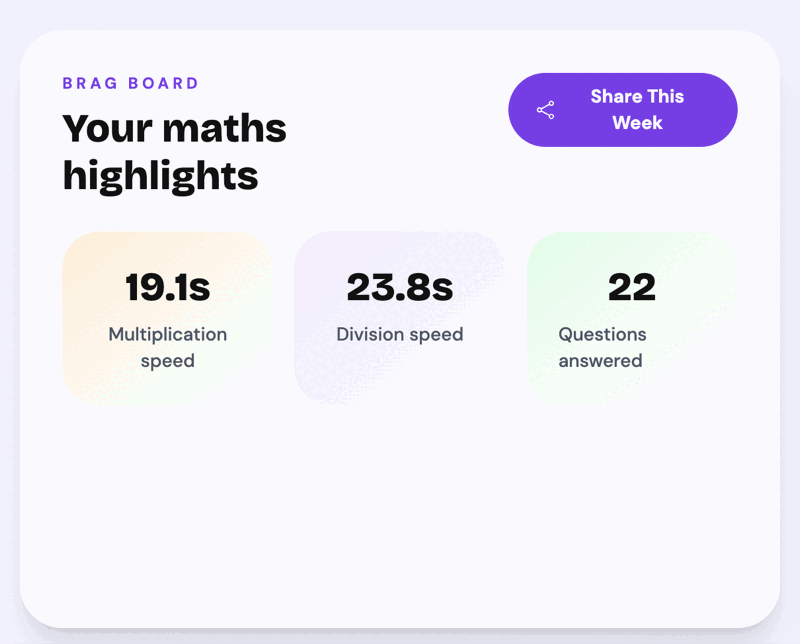
The brag card shows your child's key stats for the day, week, or month — how many questions they've answered, their average multiplication speed, and their average division speed.
It's the quick summary. The "look what I did this week" moment. Children pick a time period they're proud of and share it in one tap.
Story mode
The story takes your child's raw numbers and turns them into a five-part highlight reel:
- Questions smashed — the total number of questions answered
- Lightning reflexes — their fastest answer time
- Favourite table — the multiplication table they've practised most
- Win meter — how many games they've won
- Show Mum or Dad — a call-to-action to share the story
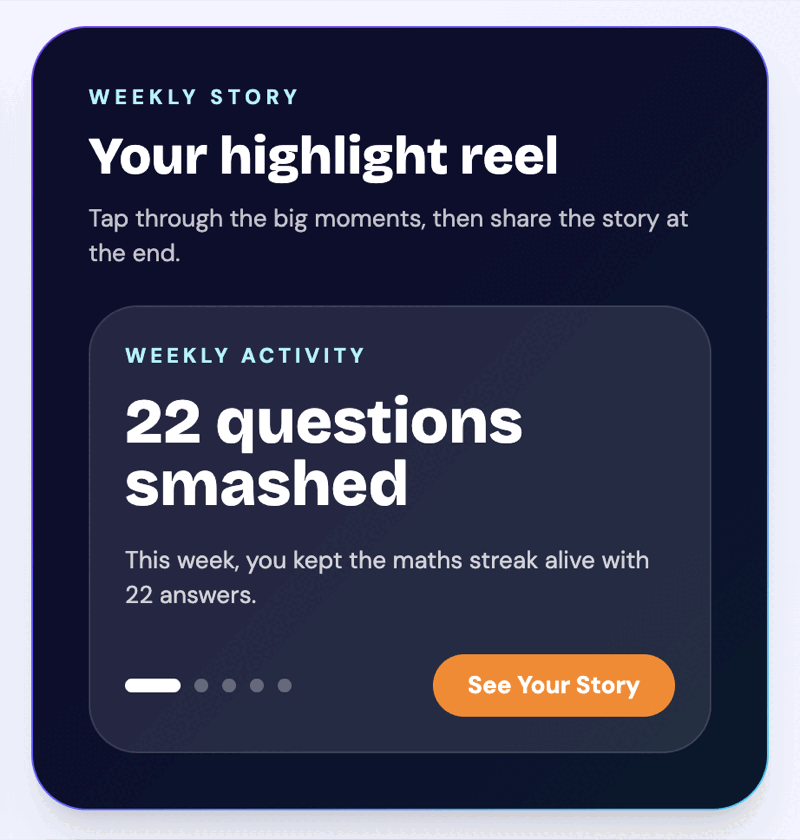
It's designed to feel like a reward. Instead of just seeing a number, your child gets a narrative of their week — and a reason to show you.
Living collection
The living collection is a visual grid of every multiplication fact from 2×2 to 10×10. Each cell is colour-coded:
- Green — mastered
- Amber — learning
- Grey — not tried yet
Over time, the grid fills in. Children can share their collection to show how far they've come — and which tables they're working on next. It comes with a completion percentage so progress is clear at a glance.
Trophy moment
Win a game and you'll see a "Show Mum/Dad!" button on the results screen. One tap shares the victory — your score, your opponent, how long the game took.
This one is about celebrating in the moment. Your child just beat someone to 10 correct answers. They want to tell you. Now they can.
How it works
On a phone, tapping any share button opens the native share sheet — the same one you use for sharing photos or links. Your child can send their achievement via WhatsApp, iMessage, email, or any app on their device.
On a computer, the link is copied to the clipboard with a quick "Copied!" confirmation.
Either way, the person who receives the link can view the achievement without needing to log in or create an account. They just tap the link and see your child's progress — their stats, their story, their collection, or their trophy moment.
Why this matters
Times tables practice can feel invisible. A child sits down, answers questions, improves — and nobody notices. That's fine for a while, but it misses something important.
Children are motivated by recognition. Research consistently shows that positive reinforcement from parents and family strengthens a child's willingness to engage with challenging material. When a child shares their brag card and gets a "well done" back, that's fuel for tomorrow's practice.
Sharing also keeps parents in the loop without adding friction. You don't need to sit next to your child or check a dashboard. They send you the link when they're proud of something, and you see exactly what they've achieved.
It turns solitary practice into a shared experience. And for a subject like maths — where many children feel anxious or unsure — that connection matters more than another worksheet.
Try it out
If your child is already using MiaMaths, the share buttons are live now. Ask them to share their week with you — you might be surprised by what they've been up to.
If you haven't tried MiaMaths yet, it's free to play. Challenge your child to a game, let them win (or try to), and see if you get a trophy moment in your messages.